Tutorial · Beginner
Best Prompts for Cinematic AI Videos.
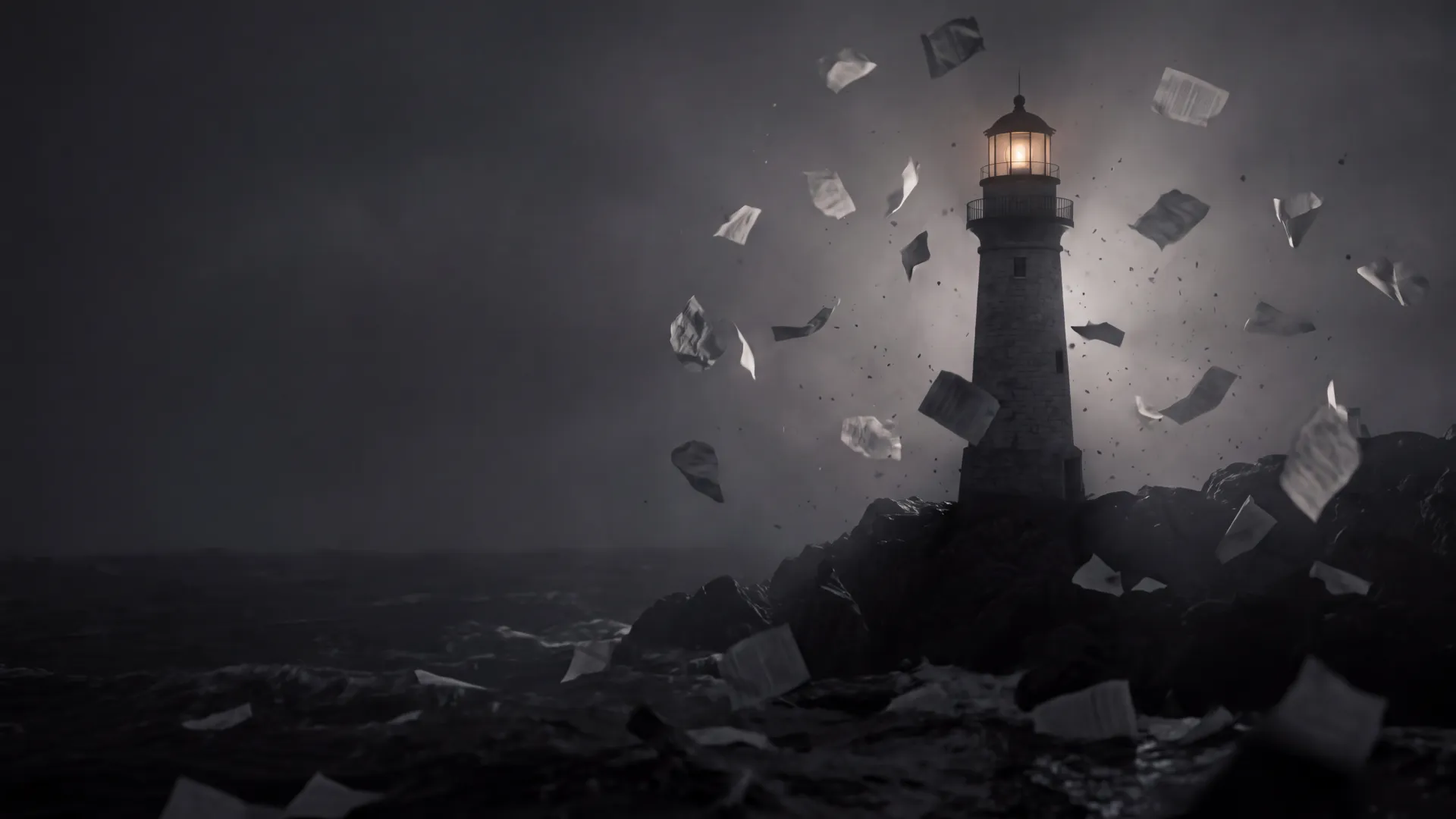
Every prompt on this page was run in King AI, and every picture is a frame from what came back. Nothing here is an invented example. Copy a prompt as it is, or borrow the words that did the work.
Six rules
How to write a cinematic prompt.
Name the shot before the subject
Start with the kind of shot: macro shot of…, anamorphic lens, shallow depth of field. Our hummingbird prompt opens with Macro shot and came back as a tight close-up with the leaves behind it melted into soft blur.
Give the light a time and a place
Golden hour, morning dew, neon rain-soaked, under a full moon. Light words set the colour of the whole clip. The surf prompt asks for golden hour… backlit spray, and the clip came back warm, with the spray lit from behind.
Say what moves, and how
Name the camera move and the motion: slow push-in, the beam sweeps, turns her head toward the light. In image to video the picture already sets the look, so our three image prompts describe only what moves.
Keep one subject and one action
Each prompt here has one subject doing one thing. The two extension prompts add one new event each — a seagull lands, a taxi splashes through a puddle — and both events happen in the clip.
Check words with two meanings
A red kite is a toy and also a bird of prey. We ran a red kite rising over a windswept dune on 19 model versions, and two of them drew the bird. Write red paper kite if you mean the toy.
Run it on two models, keep the better take
The same words look different on every model. Draft on one, run the exact prompt on a second, and keep the take you like. In King AI both runs sit side by side in your library.
Tested prompts
Text to video.
Start from words only.
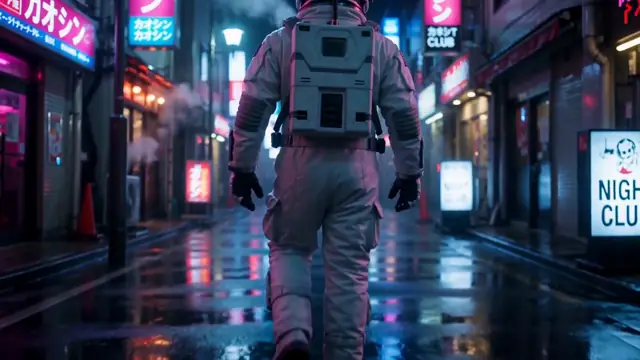
Prompt “A lone astronaut walking through a neon rain-soaked Tokyo alley, anamorphic lens, shallow depth of field”
The camera follows the astronaut from behind down the alley. The wet street throws the pink and blue neon back toward the lens.
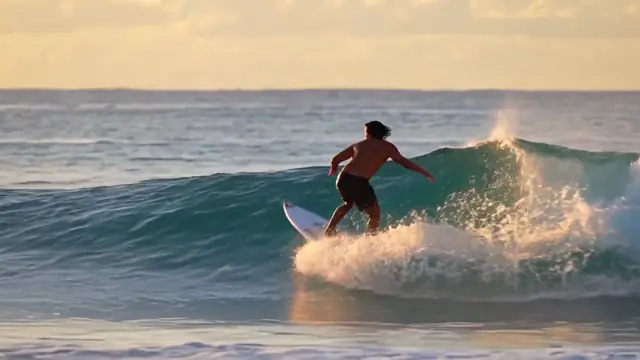
Prompt “Golden hour surf: a surfer carving a glassy wave, backlit spray, slow motion”
Warm light from low on the horizon, and the spray lit from behind as the board cuts across the wave.
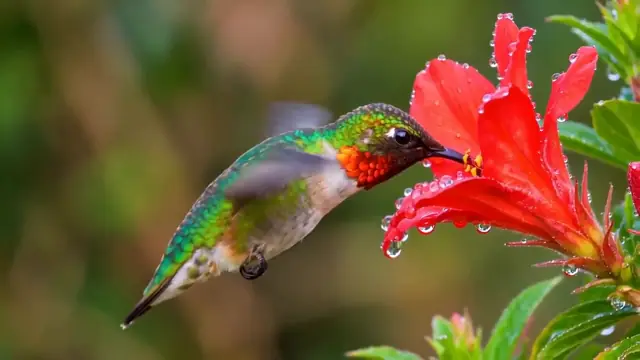
Prompt “Macro shot of a hummingbird hovering at a red flower, morning dew, soft bokeh”
A tight close-up: dew beads on the petals, and the green behind the bird is soft blur.
Tested prompts
Image to video.
Start from a picture, describe only the motion.
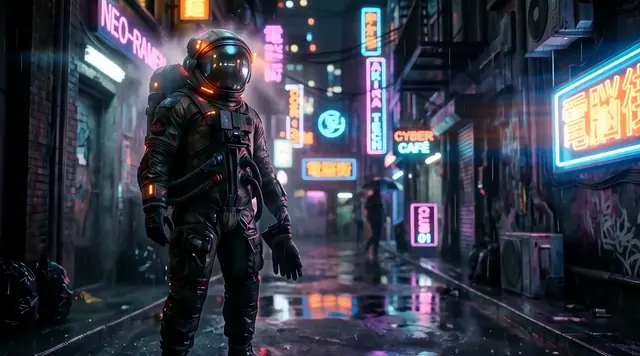
Prompt “Slow push-in as rain falls and the neon signs flicker”
The camera pushes in slowly on the astronaut in the wet, neon-lit alley. The picture's colours and framing stay as they were.
Open with this prompt Opens with WAN 3.0, which replaced it. Add your own photo or clip first.
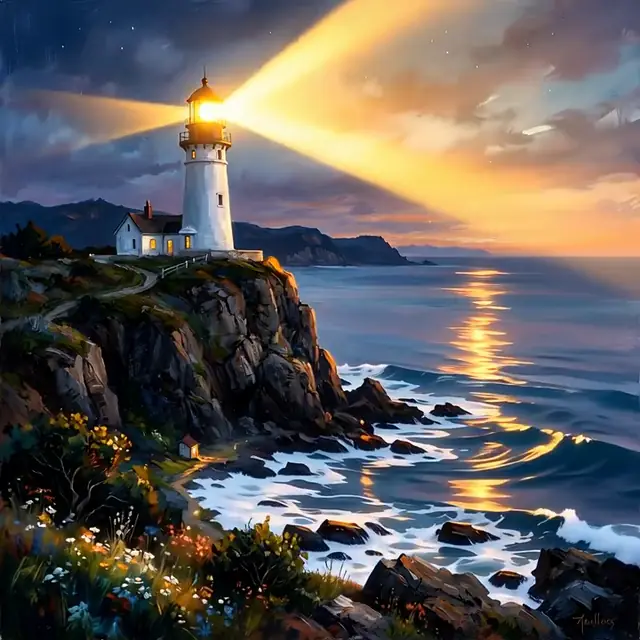
Prompt “Waves crash below as the lighthouse beam sweeps across drifting clouds”
The lamp comes on and its beam sweeps across the sky, while waves break white on the rocks below.
Open with this prompt Opens with WAN 3.0, which replaced it. Add your own photo or clip first.
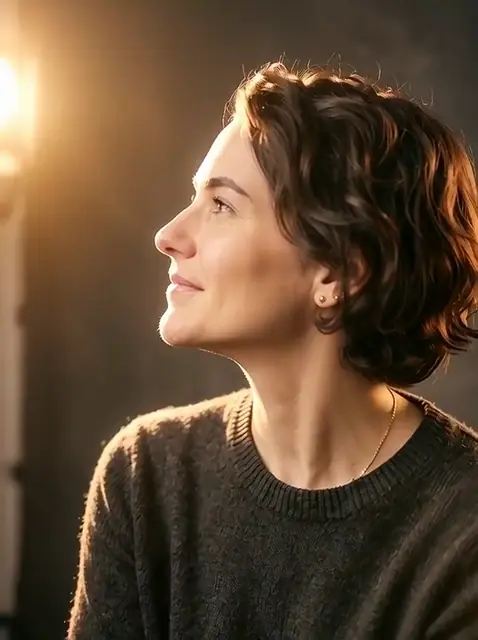
Prompt “She smiles softly and turns her head toward the light”
She turns to her right with a soft smile, and warm light rises on her face and hair.
Open with this prompt Opens with WAN 3.0, which replaced it. Add your own photo or clip first.
Tested prompts
References and start/end frames.
Give the model a subject, or the first and last frame.
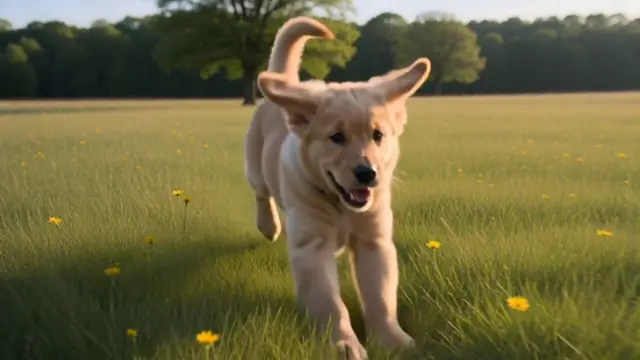
Prompt “The puppy runs across a sunlit meadow toward the camera”
The puppy from the reference photo runs through the grass straight at the camera and ends close to the lens.
Open with this prompt Opens with Vidu Q4 Reference, which replaced it. Add your own photo or clip first.
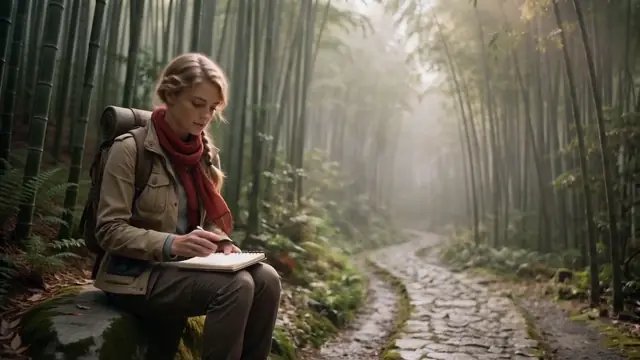
Prompt “The explorer sits on a rock in the bamboo forest, sketching in a notebook”
Two references, the explorer and a bamboo path, combined into one shot. The clip ends on a close-up of her pencil on the page.
Open with this prompt Opens with Vidu Q4 Reference, which replaced it. Add your own photo or clip first.
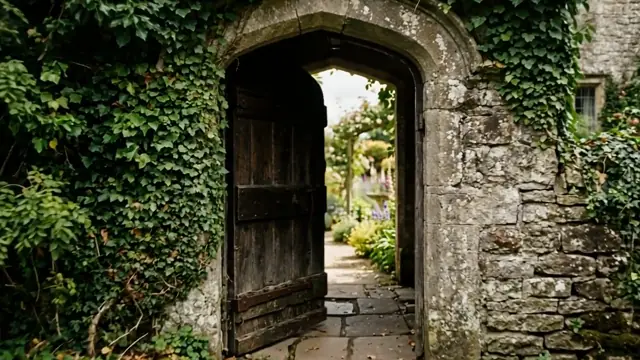
Prompt “The door swings open slowly to reveal the garden”
Given a closed door and an open one, the model filled in the swing, with the garden appearing through the arch.
Open with this prompt Add your own photo or clip first.
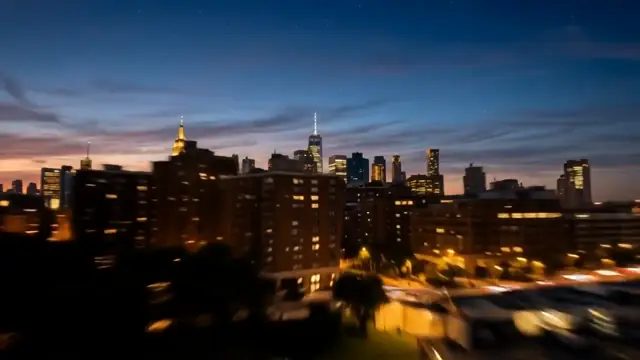
Prompt “Day turns to night over the city as the lights come on”
From a dawn frame to a night frame: the sky darkens and the city lights come up across the water.
Open with this prompt Add your own photo or clip first.
Tested prompts
Extend and restyle a clip.
Start from a video you already have.
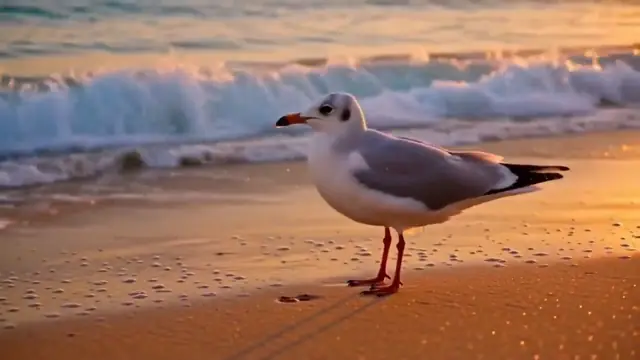
Prompt “The wave recedes and a seagull lands on the wet sand”
Five new seconds on the end of a wave clip: the water pulls back and a gull stands on the wet sand.
Open with this prompt Add your own photo or clip first.
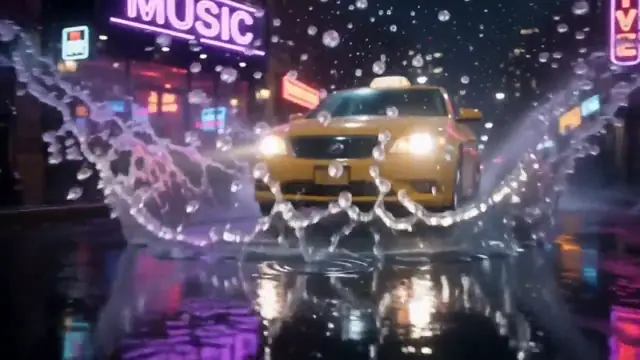
Prompt “The camera keeps moving as a taxi splashes through a puddle”
The camera keeps travelling up the street until a yellow taxi drives through a puddle and throws water across the frame.
Open with this prompt Add your own photo or clip first.
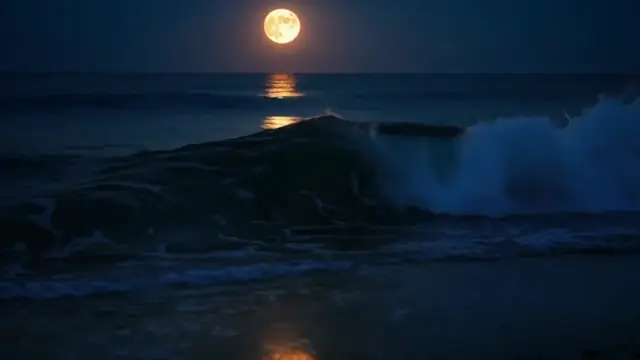
Prompt “@Video1 at night under a full moon, silver light on the water”
The same wave clip turned to night, with a full moon and its path on the water. The prompt asked for silver light; the moonlight came back gold. Colour words are read loosely.
Open with this prompt Add your own photo or clip first.
One prompt, many models
The same words, run on 19 models.
Model choice changes the look. A word with two meanings can change the subject.
Prompt “a red kite rising over a windswept dune at golden hour, camera tilting up”
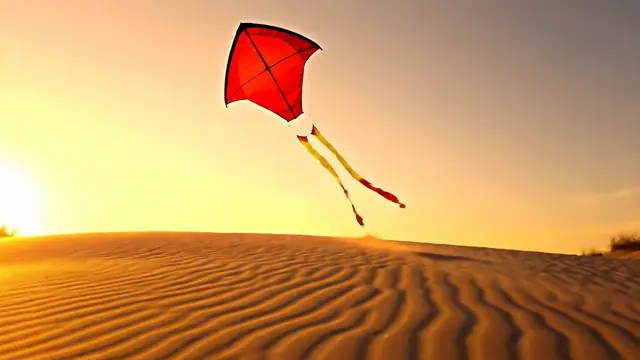
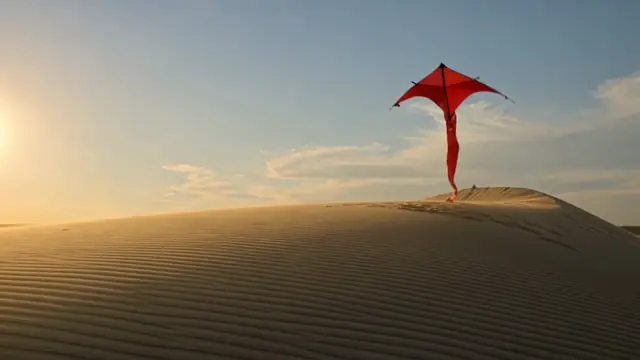
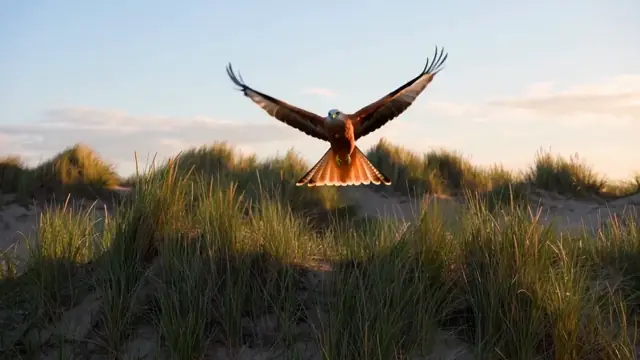
We ran this prompt on 19 model versions. 17 drew a paper kite. WAN 3.0 and WAN 3.0 Prime 1080p drew the bird of prey called a red kite, in every frame we checked. Neither answer is wrong — the prompt was. For the image version of the same test we wrote “a red paper kite on a string, flying over a windswept dune at golden hour”, which leaves no doubt.
Pro tips
Small moves, big difference.
Film words work
Shot type, lens, light and camera move are the words models read as cinema. Adjectives like epic or beautiful give them nothing to draw.
Short beats long
The prompts on this page run from 9 to 16 words. Each extra idea is another thing the model can get wrong.
Let the photo do the look
When you start from a picture, spend your words on motion. The picture already carries the subject, colour and framing.
Draft at 5 seconds
Every clip here is 5 seconds, except the two extensions. Get the shot right short, then extend the keeper.
FAQ
Quick answers.
What makes an AI video prompt cinematic?
Film words. A shot type, a lens, a time of day, a light source and a camera move. Those are things a model can draw. Words like epic or stunning are not, so they change very little.
How long should an AI video prompt be?
The prompts on this page run from 9 to 16 words. Start with one subject, one action and one light, then add a lens or a camera move. Stop when every word describes something you can see.
Should an image-to-video prompt describe the photo?
Usually not. The photo already sets the subject, colours and framing. Our three image-to-video prompts describe only what moves, and each result kept the look of its picture.
Why did the AI make something different from my prompt?
Often one word has two meanings. We asked 19 model versions for a red kite rising over a windswept dune. 17 of them drew a paper kite; WAN 3.0 and WAN 3.0 Prime 1080p drew the bird of prey. Red paper kite removes the doubt.
Can I use these prompts?
Yes. Each card has a link that opens the King AI web studio with that prompt and model filled in. For tools that need a photo or a clip, add your own first. Nothing is generated until you press Generate.
Which model is best for cinematic prompts?
There is no single winner. The clips on this page came from WAN 3.0 and an earlier WAN version, Vidu Q3, PixVerse V6 and Kling O3. The model leaderboard shows one shared prompt run on each engine it covers.
Try it now
Open the app and follow along.
Every run shows its credit cost before you generate. This workflow uses credits for each step.