AI video model leaderboard · October 2026
Find your next go-to model.
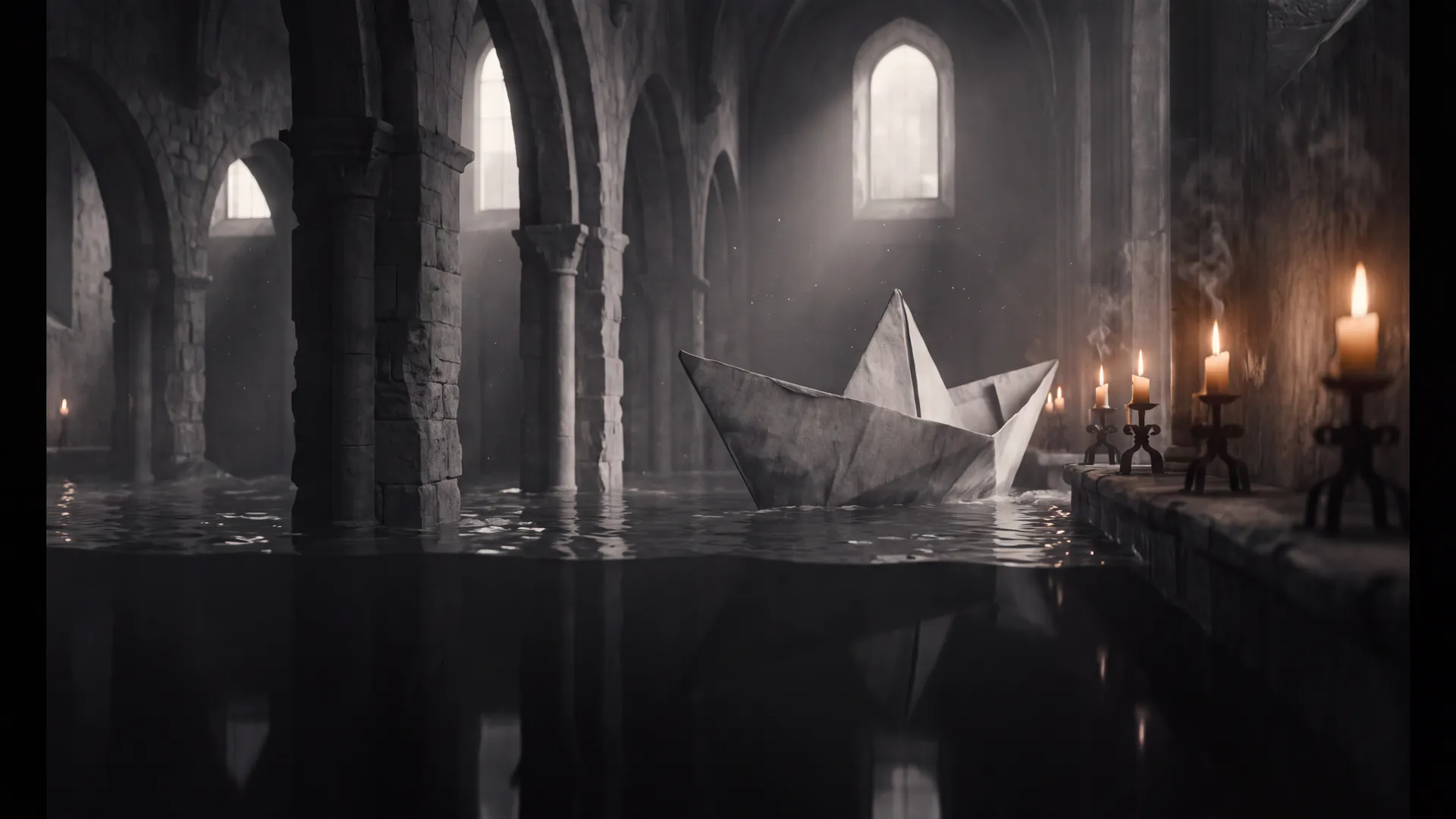
Explore the results behind the rankings. See the prompt, compare the engines, and decide which strengths matter for your shot.
Winners
What won, and how we know.
Five rows are measured — computed from the app's billing catalog when this page was built, across every one of the 43 enabled text-to-video models, and re-checked before it was written. Four are the King AI team's picks, labelled as such. Nothing here is a vendor's own claim.
| Category | Winner | Basis | Why |
|---|---|---|---|
| Price / value | Grok Imagine 1.5 Lite | Measured | 0.3 credits a second (~$0.12) is the lowest rate of any of the 43 enabled text-to-video models in the catalog that generates its own soundtrack — every tier, not just the flagship shelf. It renders at 720p. |
| Cheapest 1080p | Kandinsky 6 Lite | Measured | 0.632 credits a second (~$0.25) at 1080p, as one fixed clip of 5 seconds for 3.16 credits — the lowest rate of any enabled text-to-video engine that reaches 1080p or better. Flux 3 Max 1080p is next at 0.725. |
| Longest single take | WAN 3.0 | Measured | 30 seconds in one generation, the longest any enabled text-to-video engine offers. Seedance 2.5, WAN 3.0 Prime 1080p, WAN 3.0 1080p and WAN 3.0 Prime reach the same ceiling; WAN 3.0 is the cheapest of them, at 1 credit a second. |
| Effects | Vidu | Measured | 85 of the app’s 202 one-tap effect templates run on Vidu — more than PixVerse (84) or Kling (33). |
| Native audio | Veo 3.1 | Measured | Sound comes out of the model in the same pass as the picture, not from a library. Veo 3.1 carries hasAudioSupport in catalog v135 — asserted at build — and so do 42 of the 43 enabled text-to-video models (Luma Ray 3.2 is the only silent one), which is why all seven takes below ship with a native track. |
| Cinematic realism | Veo 3.1 | Editors’ pick | Held highlights, believable water and the steadiest camera of the seven on this plate. A judgement, not a measurement — see the method below. |
| Human motion | Kling V3 Pro | Editors’ pick | Bodies and limbs keep their mass through a turn instead of sliding, and hands survive the shot. Our call, on the seven takes above. |
| Storytelling | Seedance 2.0 | Editors’ pick | Reads a long prompt as a sequence rather than one frozen tableau, so the beats arrive in the order you wrote them. |
| Image-to-video | Kling V3 Pro | Editors’ pick | Keeps a still’s framing, palette and faces intact while it moves them, which is the whole job when you start from your own photo. |
Measured rows read catalog v135. Rates are credits per second of finished video; the dollar figures convert at $0.40 a credit, the 25-credit pack's rate.
Compare
Two engines. One prompt.
Pick any two of the seven takes. Same starting frame and the same prompt; the model and what its take cost are what change. In the studio, Kling O3 Pro, Kling V3 Pro and Seedance 2.0 offer 5, 10 or 15 seconds and WAN 3.0 1080p offers 5, 10, 15, 20, 25 or 30 seconds, so their 8-second takes are not a length you can pick there.
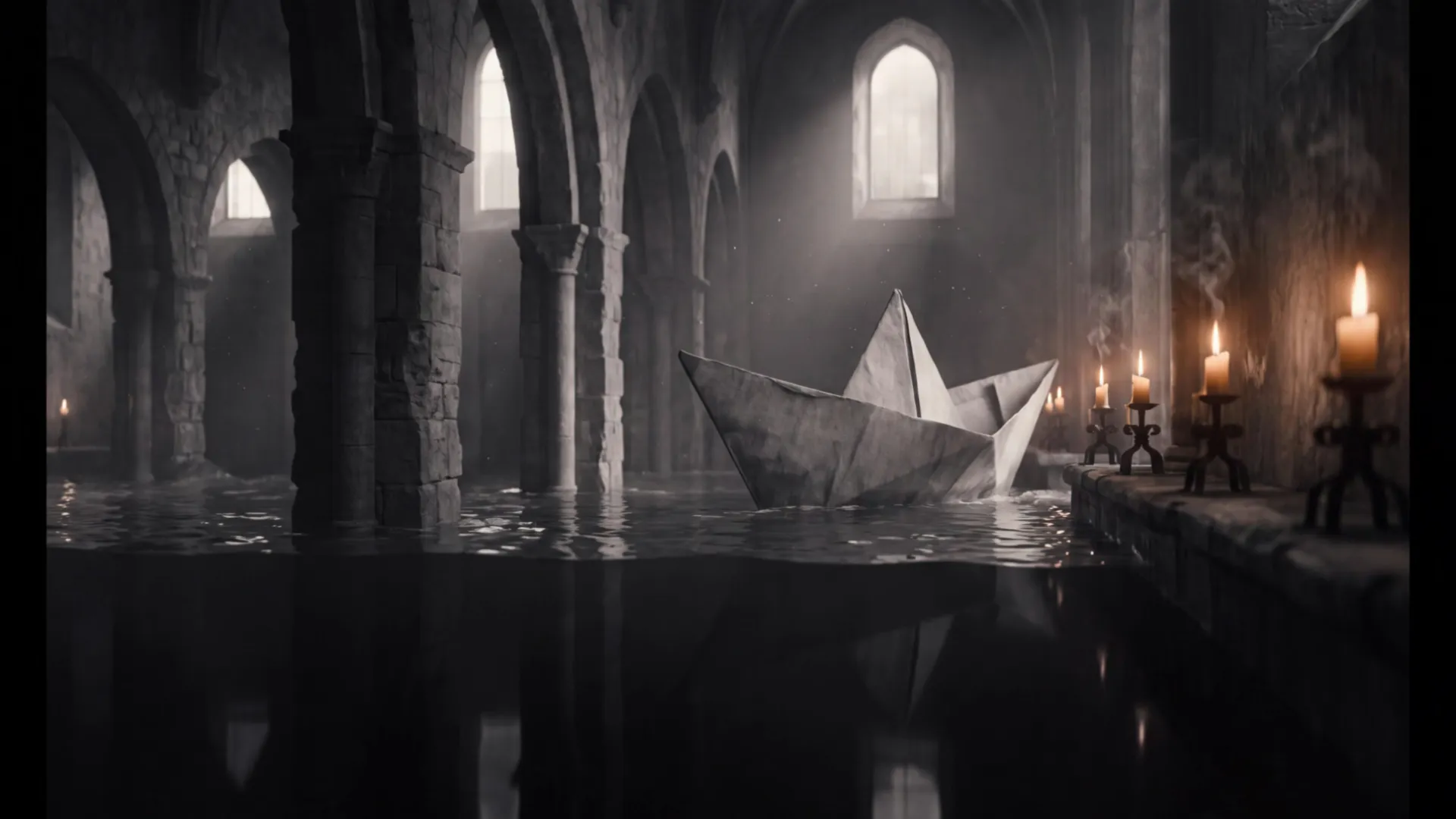
Kling V3 Pro
- Max resolution
- 1080p
- Take length
- 8s
- This take
- 13.44 (~$5.38)
- Credits per second
- 1.68 (~$0.67)
- Native audio
- Yes
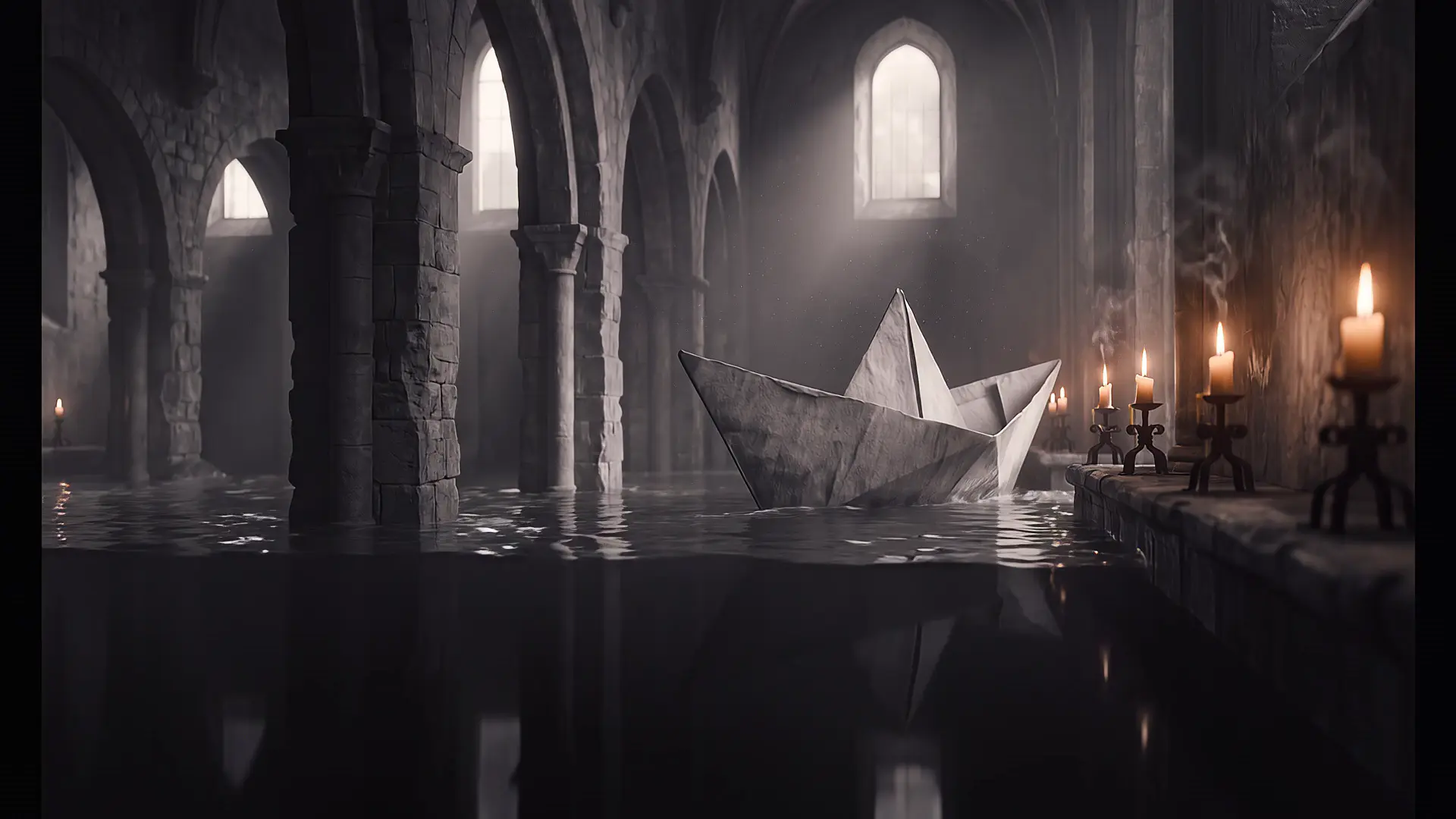
Veo 3.1
- Max resolution
- 1080p
- Take length
- 8s
- This take
- 32 (~$12.80)
- Credits per second
- 4 (~$1.60)
- Native audio
- Yes
A paper boat the size of a ship sails through a flooded cathedral at dawn, candle flames guttering as it passes, water lapping the stone, slow lateral dolly, 35mm, natural light, the sound of water and wind, continuous motion, no cuts, no new objects
All seven takes
Every engine, side by side.
The full field, with the exact clip each one rendered and what that clip was billed at. These are image-to-video runs from the shared still above. In the studio, Kling O3 Pro, Kling V3 Pro and Seedance 2.0 offer 5, 10 or 15 seconds and WAN 3.0 1080p offers 5, 10, 15, 20, 25 or 30 seconds, so their 8-second takes are not a length you can pick there.
| Engine | Max resolution | Take length | Audio | Credits per second | This clip |
|---|---|---|---|---|---|
| Veo 3.1 | 1080p | 8s | Yes | 4 (~$1.60) | 32 (~$12.80) |
| Kling O3 Pro | 1080p | 8s | Yes | 1.4 (~$0.56) | 11.2 (~$4.48) |
| Kling V3 Pro | 1080p | 8s | Yes | 1.68 (~$0.67) | 13.44 (~$5.38) |
| Seedance 2.0 | 1080p | 8s | Yes | 6.804 (~$2.72) | 54.43 (~$21.77) |
| WAN 3.0 1080p | 1080p | 8s | Yes | 2 (~$0.80) | 16 (~$6.40) |
| MiniMax H3 2K | 2K | 10s | Yes | 1.3 (~$0.52) | 13 (~$5.20) |
| LTX 2.5 Pro | 1080p | 8s | Yes | 1.7 (~$0.68) | 13.6 (~$5.44) |
Method
How this page was made.
Every take on this page started from the same 16:9 still and the same prompt string, printed verbatim above. Nothing was re-rolled to flatter an engine, no prompt was tuned per model, and no clip was graded, trimmed or upscaled afterwards. Where an engine accepts the shared length it ran it; MiniMax H3 accepts 5, 10 and 15 seconds rather than 8, so its take runs 10 seconds and the table says so. Not every take's length is one the studio offers for its engine; the note above the table names them. The clip length in each row is the length that was actually generated and billed.
The prices are not estimates. They are read out of fal_models_fallback.json — the same catalog the app bills from, at version 135 — when this page is generated, and the arithmetic is the app's: rate per second multiplied by the seconds you asked for. A credit costs $0.40 on the 25-credit pack, the highest rate per credit King AI charges, and that is where every dollar figure on this page comes from. Those figures therefore state the most a generation can cost: bigger packs carry bonus credits, and every plan costs less per credit again. They are conversions for orientation, not a second price list. The app charges in credits.
The measured rows range over every enabled text-to-video model in the catalog — 43 of them today, across every tier — rather than a shortlist or the one shelf the app calls its flagship. A tier is a merchandising decision; it is not a fact about what something costs, and ranking inside one is how a page ends up crowning a model that a cheaper model beats. They are recomputed on every build and re-asserted before the file is written, so a catalog change that would falsify one of them breaks the build instead of shipping. That includes the resolution ranking: a maximum resolution this page has never seen fails loudly rather than sorting itself to the bottom of the list.
The editors' picks are exactly that — the King AI team's reading of the seven takes, re-run and re-argued every month. They are the honest part of a leaderboard that a number cannot settle: whether water looks like water, whether a body carries its own weight through a turn, whether a long prompt arrives as a sequence or as one frozen tableau. We label them so you can discount them if you disagree, and the takes are right there for you to judge yourself.
One last thing worth saying plainly, because most comparison pages exist to sell you a tier: every engine on this table is available on every plan, including the free one. There is no model behind a higher tier, no watermark, and no queue that a paid account jumps. In most countries, your first video is on us: new verified accounts get one five-second video on our lowest-cost video model, once. Running the full comparison needs credits from a plan or credit pack.
FAQ
Leaderboard questions.
How is the King AI leaderboard made?
Two ways, and the table says which is which. The measured rows are computed from the app's own model catalog (v135) when this page is built: the per-second credit rate, the resolution ceiling, the longest clip an engine offers, and the number of enabled effect templates per provider. If the catalog moves, the build fails rather than publishing a stale winner. The editors' picks are judgements made by the King AI team on the seven takes on this page — same prompt, same starting frame, same settings — and they are labelled as picks everywhere they appear.
Which AI video model is cheapest?
Across all 43 enabled text-to-video models, Grok Imagine 1.5 Lite is the lowest at 0.3 credits a second (~$0.12) — with its own audio, at 720p. If you need 1080p or better, Kandinsky 6 Lite is the cheapest route in at 0.632 credits a second (~$0.25), as one fixed clip of 5 seconds for 3.16 credits. Most engines charge per second of finished video, so a short clip on an expensive engine can cost less than a long one on a cheap engine.
Which AI video models generate their own audio?
42 of the 43 enabled text-to-video models — all but Luma Ray 3.2 — are marked audio-capable in the catalog, and every one of the seven takes on this page ships with a native track. Audio is generated in the same pass as the picture; nothing is dubbed on afterwards, and there is no separate charge for it.
Can I run this prompt myself?
Yes, and that is the point of the page. Every engine name and every button here opens the King AI studio with that model already selected and this prompt already typed. In most countries, your first video is on us: new verified accounts get one five-second video on our lowest-cost video model, once. Other runs show their credit cost before you generate.
How often does the leaderboard update?
The measured rows are regenerated from the catalog every time the site is built, so they are never older than the last deploy. The editors' picks and the seven takes are re-run monthly — this edition is October 2026.
Keep reading
Where to go next.
Every model in the app
The full roster, with the specs, the limits and the price of each one.
ExploreVeo 3.1 vs Kling
Google's and Kuaishou's flagships: prices and our picks.
ExploreThe benchmark table
The same seven takes as a sortable table with generation times and a CSV.
ExploreWhat a credit costs
Plans, packs and, in most countries, your first video on us — and what each buys on this table.
ExploreYour turn
Run the same prompt yourself.
The studio opens with this prompt already in the box. Pick any engine on the table, watch the credit cost update before you commit, and see whether you agree with us.